
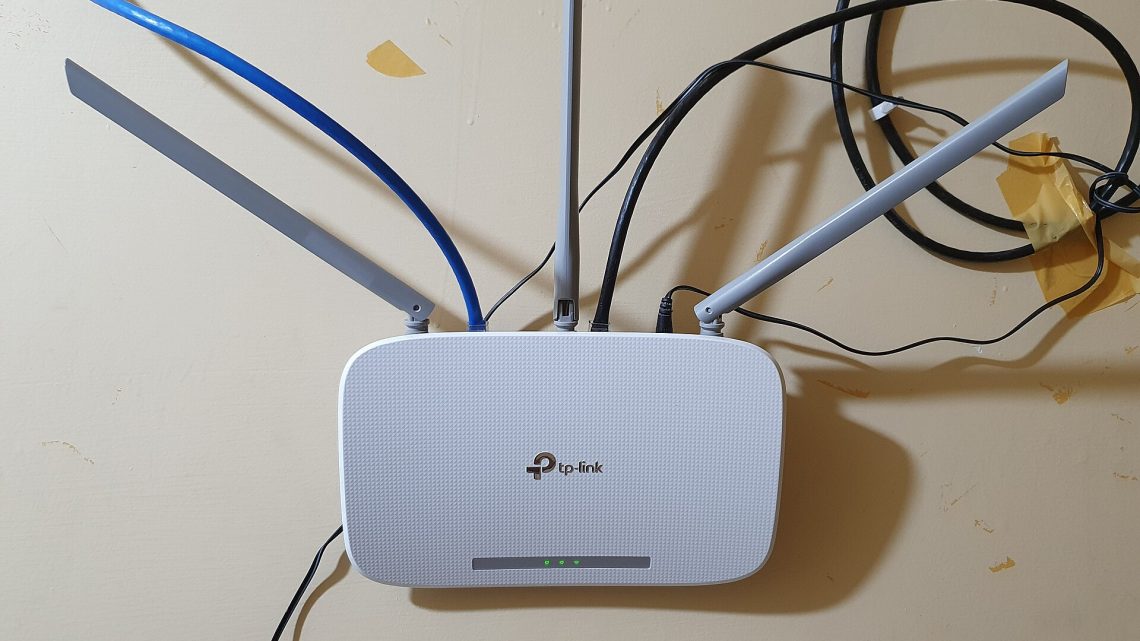
Home Router and Wi-Fi Security: WPA3 and the Settings Worth Changing
Most home routers ship in a configuration chosen to minimise support calls, not risk. The gap between the two is small but specific: a handful of settings account for nearly all of it, and one of them is a convenience feature that has been publicly broken since 2011. Here is what actually changed with WPA3, and what is worth changing on the box in your hallway.
What WPA2 got wrong
WPA2-Personal has one structural weakness. Your passphrase becomes a pre-shared key, and the four-way handshake a client and access point perform on connection proves possession of it. Anyone within radio range can capture that handshake — passively, in seconds, by listening while a device connects — then guess passphrases against it offline, at whatever rate their hardware allows, forever. Nothing on your network sees the attempt or can rate-limit it. Cracking a short or dictionary-derived passphrase is a matter of computing budget, not luck.
Then there was KRACK, presented by Mathy Vanhoef and Frank Piessens at the ACM Conference on Computer and Communications Security in 2017. It targeted the handshake itself: by replaying handshake messages, an attacker could force a client to reinstall a key it had already installed, resetting the nonce and replay counters so the same key was reused with old nonce values. That breaks the cipher’s guarantees. The worst variant hit Android 6.0 and later and Linux’s wpa_supplicant 2.6, which could be induced to install an all-zero key.
KRACK was fixed by backward-compatible patches, and the researchers were explicit on two points: both clients and access points needed updating, and changing your Wi-Fi password did nothing. It was an implementation flaw, not a credential problem — which is why firmware appears twice in the checklist below.
What SAE actually changes
The Wi-Fi Alliance introduced Wi-Fi CERTIFIED WPA3 on 25 June 2018. For home networks the headline change is that WPA3-Personal replaces the pre-shared key exchange with Simultaneous Authentication of Equals, a password-authenticated key exchange derived from the Dragonfly handshake.
The important property is that SAE is live and interactive. An eavesdropper who records a complete SAE exchange has nothing to test passphrase guesses against offline; every guess needs a fresh interaction with the access point, which can count failures and slow down. In the Wi-Fi Alliance’s framing, WPA3-Personal provides “more resilient, password-based authentication even when users choose passwords that fall short of typical complexity recommendations” — which is to say it makes an ordinary household passphrase survivable.
SAE also gives forward secrecy: each session derives fresh keys, so recovering the passphrase later does not decrypt traffic captured earlier, as it does under WPA2.
WPA3 additionally requires Protected Management Frames. The Wi-Fi Alliance describes PMF as providing integrity protection for management frames and encryption for unicast ones, so forged disconnect frames can be detected and ignored. That closes the deauthentication attack — the trick used to knock a device off a network in order to capture its reconnection handshake.
| WPA2-Personal | WPA3-Personal | |
|---|---|---|
| Key establishment | Four-way handshake over a pre-shared key | SAE (Dragonfly) password-authenticated exchange |
| Offline dictionary attack | Possible from a captured handshake | Not possible; guessing must be online |
| Forward secrecy | No — old captures decrypt if the passphrase leaks | Yes |
| Protected management frames | Optional | Required |
| Availability | Universal | Required in all new Wi-Fi CERTIFIED devices since 2020; mandatory on 6 GHz |
The transition-mode caveat
Most routers default to a WPA2/WPA3 transition mode so older devices keep working. It is a reasonable default with a real cost, documented by Vanhoef and Eyal Ronen in Dragonblood, presented at the IEEE Symposium on Security and Privacy in May 2020. Because a transition-mode network advertises WPA2 as acceptable, an attacker can stand up a rogue access point offering only WPA2 under the same name, and a WPA3-capable client will connect — at which point the old four-way handshake and the old offline dictionary attack are back. The same work found timing and cache side channels in SAE implementations, assigned CVE-2019-9494 and CVE-2019-13377, which needed handshake changes to fully address.
The mitigation is unglamorous: if every device supports WPA3, switch to WPA3-only. If some do not, the Wi-Fi Alliance’s suggested alternative is two SSIDs with different passphrases rather than one mixed network. Newer equipment supports a compatibility mode that hides the WPA3 configuration from older clients entirely.
Two features to switch off
WPS. Wi-Fi Protected Setup’s eight-digit PIN method has been broken since Stefan Viehböck’s disclosure on 27 December 2011. As CERT/CC’s vulnerability note VU#723755 explains, the protocol’s error responses reveal whether the first half of the PIN is correct, and the eighth digit is a checksum derivable from the others. That collapses the search space from 100 million combinations to about 11,000 — minutes of work against a router with no lockout policy. CERT’s recommendation was to disable the external registrar; on consumer hardware that means turning WPS off. The push-button variant is less bad, but the PIN is usually printed on the label and often stays enabled independently.
UPnP. Universal Plug and Play lets applications open inbound ports through the router with no authentication. That is convenient for game consoles and a standing invitation for anything running on an already-compromised device. CERT/CC’s note VU#339275 covers CallStranger, CVE-2020-12695, in which the UPnP SUBSCRIBE function can be abused to direct large volumes of traffic at arbitrary internet destinations, enabling amplified denial-of-service attacks and data exfiltration. The guidance is to disable UPnP on internet-accessible interfaces; at home, disabling it entirely and hand-forwarding the two or three ports you need is a small one-time cost.
Firmware, and routers that have stopped receiving it
The FBI’s Internet Crime Complaint Center issued a public service announcement on 7 May 2025 about cybercriminal proxy services exploiting end-of-life routers. The mechanism is not exotic: routers that no longer receive vendor updates are scanned, compromised through known unpatched flaws, and turned into anonymising proxies for other people’s crimes — the TheMoon malware family has been doing this since 2014. The FBI’s advice is direct: replace routers past end of support, apply firmware updates, disable remote administration, use long unique passwords.
End of support is the part people miss. A router can work perfectly for a decade and be indefensible for the last six years of it. Check the manufacturer’s support page for your model before assuming that no updates means nothing to fix.
Guest and IoT separation
A separate SSID isolated from your main network is the highest-value structural change most households can make, and nearly every router of the last five years supports it. The reasoning is blast radius: a smart plug, a video doorbell or a budget camera runs firmware you cannot audit, patch or see, and on a flat network it sits at the same trust level as your laptop and file server.
Put anything you would not log into a bank from on its own SSID, with client isolation on if the router offers it. Guests go there too. On public networks, look for Wi-Fi Enhanced Open — based on Opportunistic Wireless Encryption, RFC 8110, March 2017 — which encrypts an open network’s traffic without a password. It stops passive eavesdropping. It does not authenticate the access point, so it does not stop someone impersonating the café.
The checklist, in order
- Change the router’s administrator password. Not the Wi-Fi passphrase — the login for the configuration interface. If it is still the one on the sticker, start here.
- Disable remote administration (sometimes “remote management”, “WAN access” or “cloud access”). Almost nobody needs the admin page reachable from the internet.
- Check for firmware updates and enable automatic ones if supported. Then check whether your model is still supported at all.
- Set the security mode to WPA3 if every device can handle it; otherwise use transition mode knowingly, or run two SSIDs. Never leave it on WPA2/WPA or “mixed with TKIP”.
- Turn off WPS. If the interface distinguishes PIN from push-button, disable the PIN at minimum.
- Turn off UPnP and forward ports manually if something genuinely breaks.
- Use a long passphrase. Four or five unrelated words beats a short string with substituted characters — and transition mode means offline guessing may still apply to you.
- Create a separate SSID for IoT devices and guests, with client isolation on.
- Set your DNS resolver deliberately. The router hands its resolver to every device on the network; choose one rather than accepting the ISP default, and turn on encrypted DNS if the firmware supports it.
- Look at the connected-device list once. Anything you cannot identify is worth an hour.
None of this defends against a targeted adversary. All of it removes your network from the population of trivially exploitable ones, which is the population that automated scanning finds.